
Best Pool Automation Systems: How to Choose
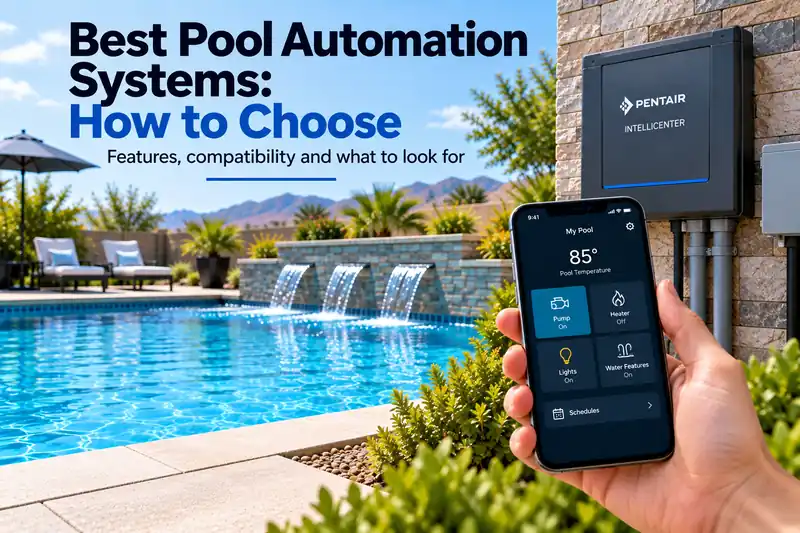
A pool automation system can coordinate pumps, heaters, lights, sanitization equipment, valves, water features, cleaners, and spa functions from one control platform. But choosing the right system depends heavily on the equipment already installed and how much control and expansion you actually need.
This guide explains what to compare when choosing a pool automation system, including equipment compatibility, relay capacity, variable-speed pump control, app access, scheduling, expansion, connectivity, and upgrade options.
Quick Answer: How Do You Choose a Pool Automation System?
Choose a pool automation system by first identifying the equipment you need to control. Verify compatibility with your pump, heater, salt chlorinator, lights, valves and other devices. Then compare the number of available circuits, scheduling features, smartphone controls, network connectivity and expansion options.
A simple pool may only need a compact controller, while a combination pool and spa with multiple pumps, water features and lighting circuits may require a larger automation panel. The right system depends on your equipment and the functions you want to automate.
Pool Automation Systems at a Glance
| Feature | What to Check | Why It Matters |
|---|---|---|
| Equipment compatibility | Exact pump, heater, sanitizer and light models | Determines which functions the controller can operate |
| Pool configuration | Pool only or combination pool and spa | Determines valve and operating-mode requirements |
| Control capacity | Physical relays, feature circuits and supported devices | Determines how much equipment can be controlled |
| Pump integration | Compatible variable-speed communication | Allows automatic speed changes for different functions |
| Remote access | Smartphone app and internet connectivity | Allows supported equipment to be controlled remotely |
| Scheduling | Daily schedules and programmed routines | Coordinates equipment operation |
| Expansion | Additional circuits, modules and upgrade options | Accommodates future equipment additions |
What Does a Pool Automation System Do?
Pool automation brings multiple pieces of pool equipment under a centralized control system. Instead of manually adjusting individual timers, switches, pumps, heaters, lights and valves, compatible equipment can be scheduled and controlled from one interface.
Modern systems may provide control through an outdoor panel, indoor controller, smartphone app, web interface or a combination of these options.
For an overview of the technology, see How Does Pool Automation Work?.
What Equipment Can Pool Automation Control?
Depending on the system and connected equipment, automation can control or coordinate:
- Single-speed pool pumps.
- Variable-speed pumps.
- Gas pool heaters and heat pumps.
- Pool and spa temperatures.
- Salt chlorine generators.
- Pool and landscape lighting.
- Water features.
- Valve actuators.
- Cleaner and booster pumps.
- Pool and spa operating modes.
- Filtration schedules.
- Compatible sanitation equipment.
More advanced systems can combine several actions into scheduled programs or one-touch routines.
Start With Equipment Compatibility
Do not choose a pool automation system based only on its smartphone app or control panel.
The first question is whether the controller can communicate with the equipment you need to operate.
Make an inventory of your existing equipment, including the exact manufacturer and model number of each device.
| Equipment | Compatibility Questions |
|---|---|
| Variable-speed pump | Can the controller adjust RPM, or only switch power? |
| Heater or heat pump | Can it control temperature and operating modes? |
| Salt chlorinator | Can it adjust chlorine production and display equipment status? |
| Pool lights | Can it control on/off operation, colors and light shows? |
| Valve actuators | Does it support the required number and type? |
| Cleaner or booster pump | Can operation be scheduled and coordinated with filtration? |
| Pool and spa | Does it support separate operating modes and temperatures? |
Verify compatibility using the automation manufacturer's documentation for your exact equipment models. Compatibility with one product from a manufacturer does not guarantee compatibility with every product in that manufacturer's range.
Does Staying With One Equipment Manufacturer Help?
Pool equipment manufacturers design their automation systems to provide deeper communication with compatible equipment in their own product families.
For example, Pentair IntelliCenter can centrally control compatible Pentair pumps, lighting, sanitization equipment and water features. Jandy AquaLink systems can similarly integrate compatible pumps, heaters, lights, cleaning systems and other equipment.
This does not mean every component must come from the same manufacturer. However, mixed equipment may offer fewer control or monitoring functions, depending on the models and communication methods involved.
Variable-Speed Pump Control
A variable-speed pump can operate at different speeds for filtration, heating, cleaning and water features.
Compatible automation can do more than simply turn the pump on and off. It can command different speeds based on the pool's operating requirements.
Example: Automatic Pump Speed Changes
| Pool Function | Example Automation Action |
|---|---|
| Routine filtration | Operate the pump at a programmed lower speed |
| Heating | Use a speed that satisfies the heater's minimum flow requirement |
| Water feature | Increase speed when additional flow is needed |
| Cleaning | Activate the required cleaning equipment and pump setting |
Actual speeds must be established for the installed pump, plumbing and connected equipment. These operating modes are examples, not universal RPM recommendations.
See Pool Automation and Variable-Speed Pumps for more information.
Heater and Heat Pump Integration
Automation can coordinate heater operation with pump schedules and temperature settings.
Depending on the equipment, the controller may allow you to set pool and spa temperatures, switch heating modes, schedule heating and monitor water temperature.
Some systems can also control compatible heat pumps.
Confirm that the controller supports the exact heater model and the temperature-control functions you expect to use.
See Pool Automation and Pool Heaters.
Pool and Spa Automation
A combination pool and spa typically requires more automation capability than a pool alone.
Valve actuators may need to reposition plumbing between pool and spa modes. Pump speeds, heater settings, lights and water features may also change at the same time.
Example: A One-Touch Spa Routine
Imagine a pool and attached spa with shared circulation equipment.
When the owner selects Spa Mode, a compatible automation system could:
- Reposition the suction and return valves for spa circulation.
- Change the variable-speed pump to the programmed spa speed.
- Activate heating to the selected spa temperature.
- Turn on the spa lighting.
- Activate compatible spa water features.
The exact sequence depends on the plumbing configuration, equipment and programmed settings.
For this type of installation, verify that the controller supports separate pool and spa operation rather than only a single body of water.
Pool and Landscape Lighting Control
Automation can control lighting schedules and, with compatible color-light systems, provide access to colors or programmed light shows.
Lighting compatibility varies significantly by manufacturer and model. A controller may be able to switch an incompatible light on and off without supporting its advanced color functions.
If lighting is important to your automation plan, see Pool Automation and Pool Lights.
Salt Chlorinator Integration
Compatible automation can provide centralized control over saltwater chlorine generation.
For example, Pentair lists IntelliChlor salt chlorination among the equipment IntelliCenter can control.
Depending on the combination, automation may allow owners to adjust sanitizer output and view equipment information without using a separate chlorinator control panel.
Verify the exact supported functions before assuming the automation system can control your existing salt chlorinator.
Count How Many Circuits You Need
Automation systems vary considerably in capacity.
A simple pool may need control over only a few devices. A large pool and spa with multiple pumps, lighting circuits, water features and sanitation equipment may require substantially more.
Make a list of everything you want to control before choosing a panel.
Example: Counting Equipment for a Pool and Spa
| Equipment | Quantity | Control Requirement |
|---|---|---|
| Variable-speed circulation pump | 1 | Compatible communication and speed control |
| Gas heater | 1 | Temperature and heating control |
| Pool and spa valve actuators | 2 | Pool/spa mode switching |
| Pool lighting circuit | 1 | Scheduled or manual lighting control |
| Spa lighting circuit | 1 | Independent lighting control |
| Water feature | 1 | Required relay, valve or pump control |
| Salt chlorinator | 1 | Compatible sanitizer integration |
This example includes eight equipment or control items, but that does not necessarily mean eight physical relays are required. Some devices communicate digitally, while others require relays, valve-actuator connections or programmable feature circuits.
Check the manufacturer's configuration requirements for your exact equipment list.
Physical Relays vs. Feature Circuits
Automation specifications may list physical relays and programmable feature circuits separately.
A relay physically switches electrical equipment. A feature circuit may represent a programmed function, such as an additional variable-speed pump setting or valve position, without requiring a dedicated relay.
Confusing these two specifications can lead to purchasing a controller that lacks the physical connections your installation requires.
Plan for Future Expansion
If you expect to add equipment later, expansion capability can be valuable.
Possible future additions include:
- Additional water features.
- Landscape lighting.
- Another pump.
- Salt chlorination.
- Pool heating.
- Additional valve actuators.
- Spa equipment.
Compare available expansion modules, remaining physical connections and software-supported features before purchasing.
Full Automation vs. Smaller Smart Controllers
Not every pool requires a large automation panel.
Smaller connected controllers can be appropriate for simpler pools with relatively few devices.
Pentair IntelliConnect, for example, is designed for smaller installations and supports centralized control of a limited number of compatible pool products.
| Consideration | Compact Smart Controller | Full Automation System |
|---|---|---|
| Typical installation | Pool with relatively few devices | Complex pool or pool/spa installation |
| Equipment capacity | Limited by controller configuration | Often supports more devices and circuits |
| Valve control | Model-dependent | More configuration options may be available |
| Expansion | Often more limited | Depends on panel and expansion modules |
| Remote control | Available on supported models | Available on supported models |
A pool with a pump, heater, lights and sanitation system may not require the same automation capacity as a combination pool and spa with multiple pumps and water features.
Smartphone App Control
Remote app control is a useful feature of many modern automation systems.
Depending on the platform, an app may allow you to:
- Turn equipment on and off.
- Change pump operation.
- Adjust temperatures.
- Control lighting.
- Activate water features.
- Change schedules.
- Monitor equipment status.
- Receive supported alerts.
Consider how frequently you expect to use the app, whether multiple household members need access and whether the system also offers local controls.
Do Not Judge a System Only by Its App
A smartphone interface cannot compensate for inadequate equipment compatibility or insufficient panel capacity.
Evaluate the hardware platform first. Then consider the app experience, remote access, scheduling features and software-update support.
Wi-Fi Reliability Matters
Remote pool control depends on a reliable connection between the automation system and the home network.
Equipment pads are often located outside and some distance from the home's wireless router. Walls, masonry, metal equipment enclosures and distance can weaken the signal.
If you have experienced connection problems, see Pool Automation Not Connecting to Wi-Fi.
Should You Use Wi-Fi or Ethernet?
Some automation platforms provide wired-network options in addition to wireless connectivity.
If Ethernet can be run to the equipment area, a wired connection can reduce problems associated with weak Wi-Fi coverage.
Check the specific controller's networking options, installation requirements and supported connectivity methods before purchasing.
Scheduling and Programmed Routines
Automation can coordinate equipment around daily or weekly operating schedules.
Examples include:
- Running filtration each morning.
- Operating a water feature during selected hours.
- Turning pool lights on in the evening.
- Scheduling cleaner operation.
- Changing pump speed for a specific function.
- Preparing the spa before use.
More advanced systems can combine multiple equipment actions into one-touch routines.
Example: A Daily Automation Schedule
Consider a pool equipped with a variable-speed pump, heater, cleaner and lighting.
| Time | Example Program | Purpose |
|---|---|---|
| 7:00 AM | Start routine filtration | Begin scheduled circulation |
| 9:00 AM | Activate cleaning program | Operate compatible cleaning equipment |
| 11:00 AM | Return to filtration settings | Resume normal circulation |
| 7:00 PM | Activate pool lighting | Evening lighting |
| 10:00 PM | Turn off scheduled lighting | End evening program |
This is an illustrative schedule, not a recommended operating schedule for every pool. Actual pump runtime, speed and sanitation settings should be based on the pool's requirements.
Remote Monitoring and Alerts
Some automation systems provide equipment status information and alerts through their connected apps.
Certain platforms also offer remote monitoring features that allow participating pool professionals to monitor compatible equipment.
Verify exactly which devices, alerts and remote-service functions are supported. Not every connected component necessarily provides detailed diagnostic information.
Home Automation Integration
Some pool automation systems can integrate with broader home-automation platforms.
Jandy identifies home-automation integration among the capabilities of its AquaLink RS platform.
If this matters to your installation, verify current compatibility with your particular home-automation system and the functions you want to control.
Can You Upgrade an Existing Automation System?
Replacing an older automation system does not always require replacing the entire enclosure and every component.
Manufacturers may offer upgrade kits for established platforms.
Pentair, for example, offers IntelliCenter upgrade options for certain older EasyTouch and IntelliTouch installations.
If you already have automation, identify your existing panel and investigate manufacturer-supported upgrade paths before purchasing a completely new system.
Pentair IntelliCenter
Pentair IntelliCenter is an expandable automation platform designed to provide centralized control for compatible pumps, lights, sanitation equipment, water features, heaters and other devices.
The IntelliCenter product family includes multiple configurations and upgrade options for certain older Pentair automation installations.
Compatible systems provide remote control and monitoring through supported Pentair app connectivity.
Before purchasing, confirm the exact panel configuration, required modules, supported equipment and installation requirements.
Check Pentair IntelliCenter on Amazon
Jandy AquaLink
Jandy's AquaLink family includes several automation configurations for different pool and spa requirements.
AquaLink RS provides pool and spa automation, supported smartphone control through iAquaLink, scheduling and programmed operating routines.
Jandy also offers simpler AquaLink configurations for installations that do not require the capacity of a larger system.
Confirm compatibility with your exact equipment and determine which controller configuration supports the required functions.
Check Jandy AquaLink on Amazon
Hayward OmniLogic
Hayward's Omni automation family provides integrated control options for compatible pool equipment.
As with Pentair and Jandy systems, check compatibility with the exact pump, heater, lights, sanitizer, valves and other equipment you intend to control.
Compare the specific controller's available connections, supported functions, remote-access capabilities and expansion options.
Check Hayward OmniLogic on Amazon
Pool Automation System Comparison
| Platform | General Configuration | Important Compatibility Check |
|---|---|---|
| Pentair IntelliCenter | Expandable automation platform | Required panel, modules and supported equipment models |
| Jandy AquaLink | Multiple pool and spa controller configurations | Exact AquaLink version and connected-device support |
| Hayward OmniLogic | Integrated automation platform | Required configuration and compatible equipment |
These product families have different configurations and capabilities. Compare exact model specifications rather than assuming that every version of a platform offers the same features.
Common Pool Automation Problems
| Problem | Possible Cause | What to Check |
|---|---|---|
| App cannot connect | Network outage, weak Wi-Fi or connectivity issue | Controller network status and supported connection method |
| Pump will not change speed | Communication or programming incompatibility | Pump model, communication wiring and controller settings |
| Heater does not activate | Insufficient flow, incompatible settings or equipment fault | Flow requirements, temperature settings and displayed errors |
| Lights do not change color | Limited lighting compatibility or incorrect configuration | Exact light model and supported controller functions |
| Spa mode does not operate correctly | Valve configuration or programming issue | Actuator settings and pool/spa configuration |
| Scheduled equipment does not run | Conflicting schedules, disabled circuits or incorrect settings | Active programs and controller status |
Follow the manufacturer's troubleshooting procedures. Electrical work, controller wiring and equipment repairs should be performed by qualified professionals where required.
Compare Pool Automation Systems
Start with equipment compatibility and required capacity. Then evaluate smartphone controls, schedules, expansion, connectivity, upgrade paths and service support.
Compare Pool Automation Systems on Amazon
Pool Automation Buying Checklist
- Pool-only or pool/spa configuration.
- Exact pump compatibility.
- Heater and heat pump compatibility.
- Salt-system compatibility.
- Lighting compatibility.
- Valve-actuator requirements.
- Number of physical relays required.
- Available feature circuits.
- Future expansion capacity.
- Smartphone app support.
- Wi-Fi or Ethernet options.
- Scheduling capabilities.
- Remote monitoring.
- Home-automation integration if needed.
- Upgrade-kit availability.
- Warranty.
- Local installer and service support.
Frequently Asked Questions
Can pool automation control equipment from different manufacturers?
Some systems support equipment from multiple manufacturers, but the available functions vary by controller and device. Verify compatibility with each exact model before purchasing.
Can pool automation control a variable-speed pump?
Yes, when the controller and pump support compatible communication. Some combinations provide direct speed control, while others offer only basic switching functions.
Can pool automation control my heater?
Compatible controllers can coordinate heater operation, temperature settings and pump schedules. The available functions depend on the heater model and communication method.
Do I need full automation for a small pool?
Not necessarily. A compact controller may provide sufficient capacity for a pool with relatively few devices. Compare your equipment list with the controller's supported connections and functions.
Does pool automation require Wi-Fi?
Not all local automation functions require Wi-Fi. However, remote app control generally requires supported network and internet connectivity. Some platforms also offer wired-network options.
Can automation reduce pool electricity use?
Compatible automation can help coordinate variable-speed pump operation and equipment schedules. Actual electricity savings depend on pump efficiency, operating speeds, runtime and the pool's requirements.
Can I add more equipment later?
That depends on the controller's available connections, supported devices and expansion options. If future upgrades are planned, evaluate remaining capacity before selecting a system.
Can I upgrade my existing pool automation panel?
Some manufacturers offer upgrade kits for certain older controllers. Check the exact model and manufacturer-supported upgrade options before replacing the complete installation.
Bottom Line
Choose pool automation around the equipment you have and the functions you expect to use.
Start with compatibility. Then count the pumps, heaters, lights, valves, sanitation equipment, water features and other devices requiring control. Compare physical connections, programmable features, app access, scheduling, connectivity, expansion, upgrade options, warranty and service support.
Evaluating the actual equipment installation is more useful than selecting a controller solely because its smartphone interface looks appealing.
How We Research
Pool Equipment Lab evaluates pool equipment using manufacturer specifications, documentation, compatibility requirements, operating costs, warranty information, and owner feedback when relevant. We do not claim hands-on testing unless we actually performed it.